

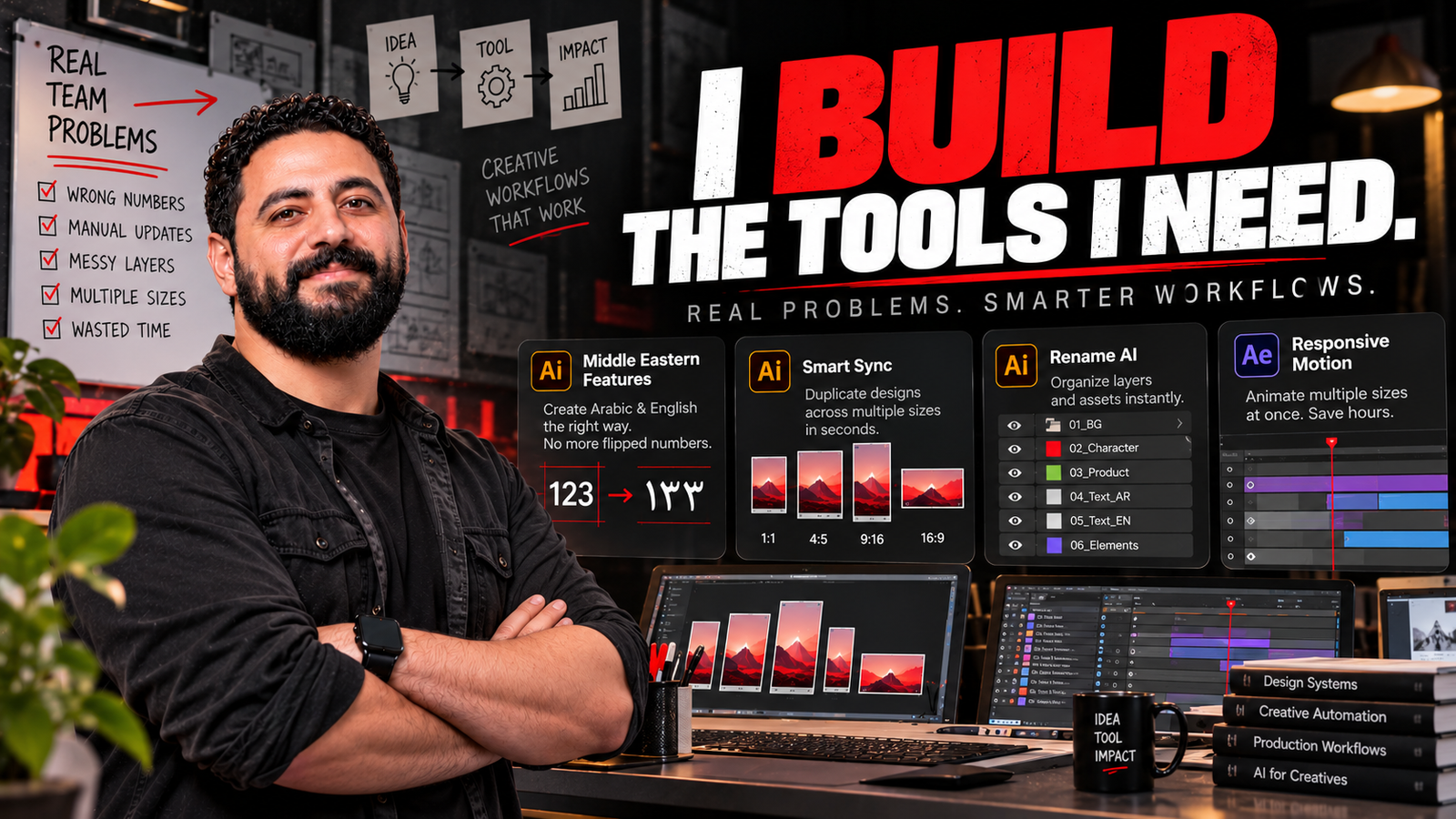
How everyday production problems pushed me to create practical tools for creative teams.
By Ahmed Ramlawy | Creative Director
I remember thinking about how ridiculous it would be for a perfectly good design to reach a customer with the wrong number printed on it.
Not because anyone had misunderstood the offer.
Not because the designer wasn’t paying attention.
But because Arabic text direction had rearranged the numbers, and nobody caught it before the final artwork went out.
In retail advertising, that’s not a small mistake.
Sometimes it’s a price. Sometimes it’s an installment amount. Sometimes it’s a number buried inside the terms and conditions.
And once that artwork has been printed, distributed, or delivered to the client, fixing it is no longer a simple design correction.
It’s a much bigger problem.
That kind of frustration is what eventually pushed me to start building my own creative tools.
Not because I wanted to become a software developer.
Because I was tired of watching creative teams spend valuable time fighting the same production problems.
The Part of Creative Direction Nobody Sees
When people talk about creative direction, they usually talk about concepts, campaigns, visual storytelling, and art direction.
And yes, that’s a big part of what I do.
But managing creative production inside a large retail business introduces another world of challenges.
A single campaign might need dozens of sizes, different product categories, multiple offers, Arabic and English versions, and separate executions for social, digital advertising, print, and in-store screens.
Every version needs to be accurate.
Every file needs to reach the right person.
Every last-minute change creates another chain of production work.
And everyone is working against a deadline.
Over time, I started looking at these problems differently.
Instead of asking my team to be faster at repetitive tasks, I began asking whether those tasks needed to be repetitive at all.
That question led to four tools.
01. Middle Eastern Features — When One Wrong Number Is Too Many
Arabic typography creates challenges that don’t always exist in English-language workflows.
Numbers, punctuation, right-to-left text direction, and mixed Arabic-English content can behave unexpectedly, especially when artwork contains complicated legal or promotional copy.
I kept seeing how much attention was required to check terms and conditions.
A number could appear in the wrong position.
A sequence could be visually reversed.
Something that looked correct in one stage of production might become confusing after editing or rearranging the text.
And because the designs were often moving quickly toward final delivery, the risk was real.
That’s why I worked on Middle Eastern Features, a tool designed to make working with Arabic and mixed-direction content easier and more reliable.
The objective wasn’t to replace proofreading.
It was to reduce the avoidable formatting problems that made proofreading unnecessarily difficult.
For me, this was about protecting the quality of the work and reducing the chance of an expensive production mistake.
A creative tool doesn’t always have to do something visually impressive.
Sometimes the most valuable thing it does is help prevent a problem the audience will never know existed.
02. Smart Sync — The Problem With Making the Same Change Again and Again
Imagine preparing a campaign with many different artboard sizes.
Everything is aligned. The layouts are ready.
Then the brief changes.
A product image is replaced. An offer needs updating. A visual element has to move.
Now that one change needs to appear across the entire campaign.
In a retail environment, this happens constantly.
And when each execution is handled manually, a small change can turn into a surprisingly long production task.
That’s the problem that led to Smart Sync.
I wanted a smarter way to keep repeated design elements synchronized across multiple layouts rather than forcing designers to perform the same update over and over.
The bigger issue wasn’t simply the number of clicks.
It was the interruption.
Every repetitive task takes a designer away from decisions that actually require design thinking.
Smart Sync was my attempt to remove some of that friction from the workflow.
03. Rename AI — Because Production Doesn’t End With the Design
One of the most overlooked parts of a creative workflow is the handoff between designers and animators.
An Illustrator file can look perfectly organized on screen while being completely chaotic behind the scenes.
Layers have unclear names.
Objects are grouped in ways that make animation difficult.
The animator opens the file and starts trying to figure out which element is which.
Multiply that by dozens of campaign sizes, and you have a serious production bottleneck.
The designer has to spend time preparing the file.
The animator has to spend time understanding it.
And neither of them is doing the work they were hired to do.
That’s why I created Rename AI.
The idea was to make layer naming and file organization less of a repetitive manual task, helping prepare artwork for cleaner animation handoffs.
Because when a designer and an animator are working on the same campaign, the structure of the file is part of the communication between them.
A well-prepared file can make collaboration much easier.
It may not be something a client ever sees.
But the team feels the difference.
04. Responsive Motion — One Animation, Too Many Formats
Then there’s the next problem.
The artwork finally reaches the motion designer.
The layers are organized. The animation looks good.
But now it needs to work in multiple sizes.
Square. Vertical. Horizontal. Stories. Digital screens. Retail displays.
Each format has a different composition and different spatial constraints.
Traditionally, that can mean repeating a significant amount of setup and adaptation work for every output.
And that’s before revisions begin.
I started thinking about how much time we could save if the workflow supported the animator in adapting the same motion design across formats.
That became Responsive Motion.
The goal was to reduce the repeated production work required to adapt animations for different sizes, while still allowing the animator to make creative adjustments where needed.
Because automation shouldn’t take creative control away from the person doing the work.
It should free that person from the parts that don’t need to be done manually.
The Pattern Behind All Four Tools
Looking at these projects together, I realized they had something in common.
None of them started with a technology trend.
They started with a problem.
A formatting risk that could affect a customer’s offer.
A design update repeated across multiple sizes.
A messy handoff that slowed down animation production.
An animator having to recreate work across too many formats.
In every case, I asked essentially the same question:
Why are we still doing this the hard way?
I wasn’t trying to build a collection of tools just to say I’d built them.
I was trying to make the production environment around me more manageable.
And that changed the way I thought about my role.
Creative Leadership Is Also About Improving the System
There’s a difference between helping a team finish a difficult project and changing the workflow so the next project becomes easier.
Both matter.
A Creative Director should care about the quality of the final work. But I also believe we should care about the process that makes that work possible.
Are designers spending too much time preparing files?
Are animators rebuilding the same executions?
Are small technical problems creating unnecessary risks?
Are we relying on people to remember things that a reliable process could help check?
These questions deserve attention.
Because creative teams don’t become stronger simply by working longer hours.
They become stronger when they have better ways of working.
Why I’m Sharing These Tools
Originally, these were solutions to problems I was dealing with in my own workflow.
But I know those problems aren’t unique to one team or one company.
Designers working in Arabic face similar formatting challenges.
Production teams manage endless campaign sizes.
Animators receive files that need preparation before they can begin.
And a lot of talented people spend too much time on tasks that could be handled more efficiently.
That’s why I decided to make these tools available through my website.
I want people to try them, benefit from them, and tell me where they can be improved.
I’m not positioning them as perfect solutions to every production problem.
They’re practical tools that grew out of actual production needs, and they can continue getting better through real use.
Explore the Creative Tools
The four tools discussed in this article are part of my Creative Tools collection.
| Tool | The problem it addresses |
|---|---|
| Middle Eastern Features | Arabic and mixed-direction text formatting, especially sensitive numeric content |
| Smart Sync | Repeated design changes across multiple layouts and sizes |
| Rename AI | Manual layer organization and preparation for animation handoffs |
| Responsive Motion | Repetitive animation adaptation across different formats |
Explore My Creative Tools & Apps
The tools are available through the collection page, where you can explore their individual descriptions and available downloads.
I’m Still a Creative Director. That’s Exactly Why I Built Them.
Building these tools doesn’t mean I’m moving away from creative direction.
If anything, they’ve helped me think about creative leadership more broadly.
My responsibility isn’t only to come up with ideas or approve the final artwork.
It’s also to understand what’s preventing those ideas from being executed well.
Sometimes the answer is a stronger concept.
Sometimes it’s a better brief.
Sometimes it’s a clearer production process.
And sometimes the right answer is to build the tool that doesn’t exist in the form your team needs.
I use AI. I direct campaigns. I build creative work.
But when a recurring problem gets in the way, I want to do more than complain about it.
I want to find a way to solve it.
The idea comes before the image. And the problem comes before the tool.
Ahmed Ramlawy
Creative Director | Branding, Advertising & Creative Technology